Communication System v1.5
Core Layout (Digital)
This section defines the core digital layout references used to maintain consistent brand placement and safe-area behavior across common online and screen-based formats.
Digital Layout Rules
- The following digital formats represent a minimal but complete reference set for common Visionbay.ai online applications.
- Logo scaling is determined in relation to the short edge of the layout to maintain consistency across varying aspect ratios.
- All digital applications must preserve a clear safe area around the logo and primary content.
- The logo must remain anchored to the upper-left identity zone unless a documented exception applies.
- When adapting to new screen sizes, use the closest reference format and scale proportionally.
Digital Layout Reference
| Layout Type | Dimension (px) | Short Edge | Logo Size (W) |
|---|---|---|---|
| Narrow Vertical | 90 × 728 | 90 | 24 px |
| Square | 250 × 250 | 250 | 65 px |
| Tall Vertical | 300 × 720 | 300 | 80 px |
| Wide Horizontal | 400 × 240 | 240 | 64 px |
| Full Screen (Portrait) | 1080 × 1920 | 1080 | 280 px |
| Full Screen (Landscape) | 1920 × 1080 | 1080 | 280 px |
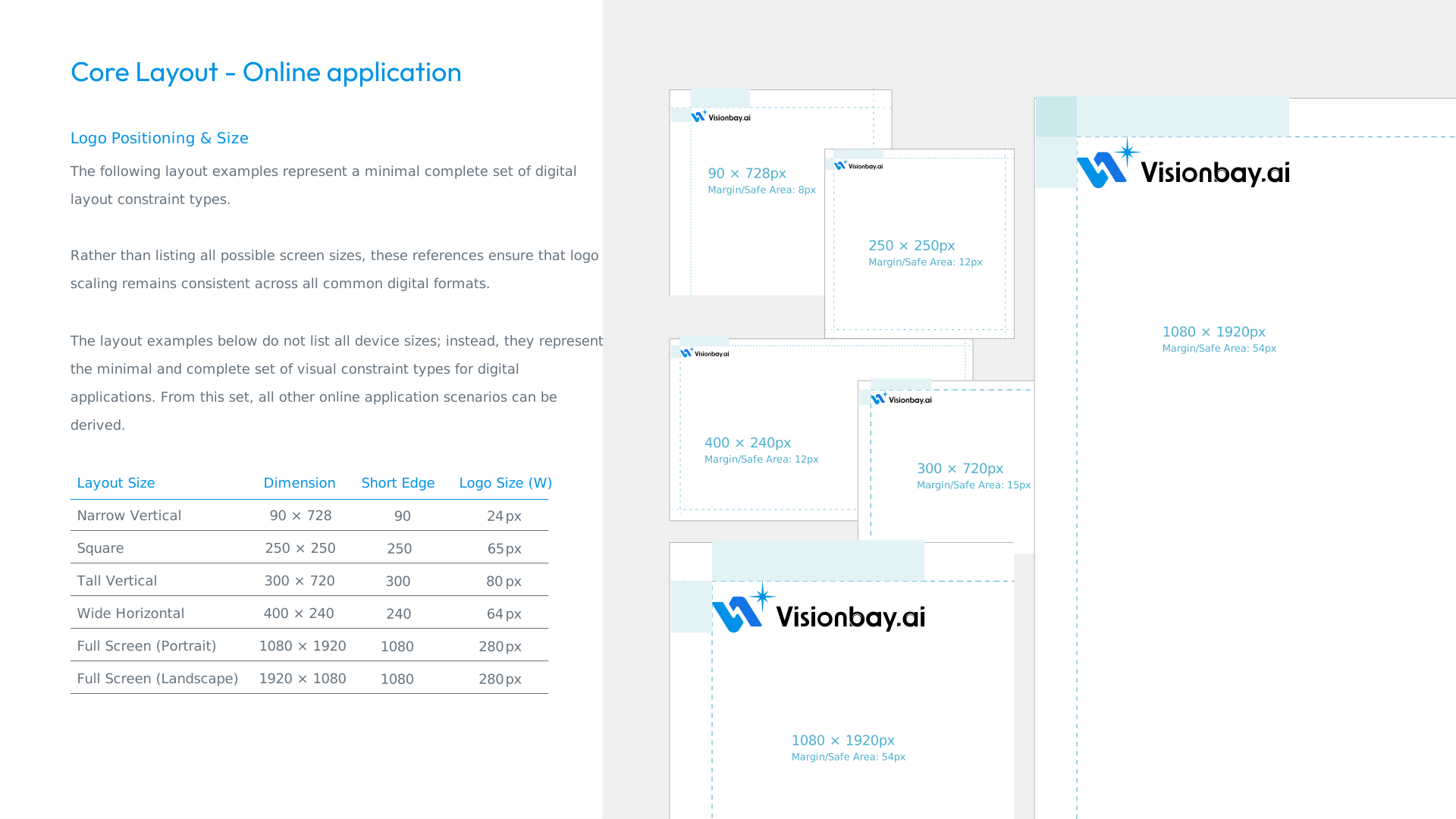
Safe-area values shown in the reference visuals should be treated as structural guides for placement, not decorative spacing.
Reference
Reference diagram for digital safe areas and logo anchoring. Click the image to open a larger view.
Related Downloads
For a clearer look at line work and type at print resolution, download the printable specification PDF from the Download Center under Printable Spec Sheets.